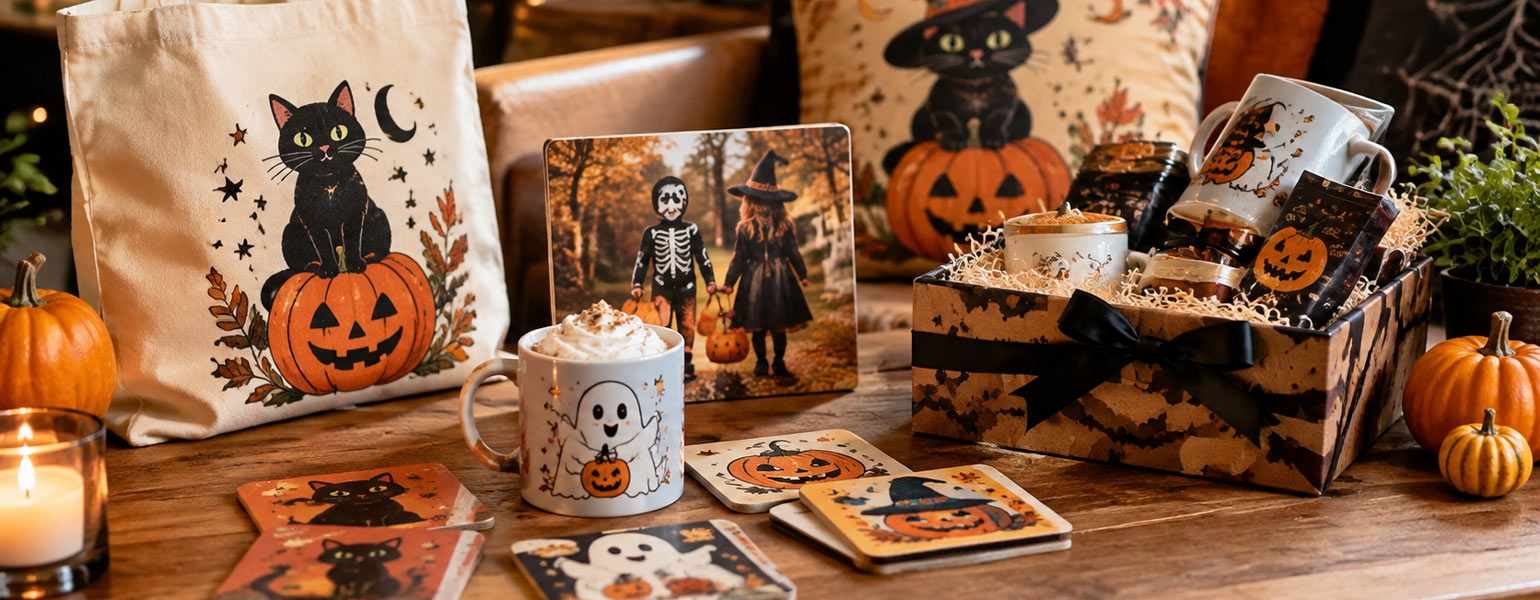
If you’ve ever wanted to create your own personalised mugs, t-shirts, or phone cases, a sublimation printer is one of the best investments you can make. Over the past few years, sublimation printing has become incredibly popular across the UK — not only among small business owners, but also among hobbyists who enjoy crafting unique gifts at home.
The good news? You don’t need an industrial setup or years of experience to get started. Today’s home sublimation printers are compact, easy to use, and surprisingly affordable. In this post, we’ll walk you through how sublimation printing works, what to look for when choosing a printer, and our top picks for 2025.
What Is a Sublimation Printer?
In simple terms, a sublimation printer transfers special dye-based ink onto materials like polyester fabric or coated ceramics using heat. The ink turns into gas under high temperature and bonds permanently with the surface — giving you vivid, long-lasting designs that won’t peel, crack, or fade.
Unlike ordinary inkjet printers, sublimation printers use sublimation ink instead of standard dye or pigment ink. That’s why you’ll see such sharp, professional results, even from a small home setup.
Why Choose a Sublimation Printer for Home Use?
Whether you’re starting a small side business or simply want to customise gifts, there are plenty of reasons why home sublimation printing is worth it:
- Creative freedom: Design and print anything from t-shirts to mugs and coasters.
- Cost-effective: Once you’ve got the printer, ink, and paper, each print costs very little.
- Compact setup: Many models are the same size as a regular home printer.
- Fun & rewarding: There’s something satisfying about seeing your digital design come to life on a real product.
What to Look For When Buying a Sublimation Printer
Before we jump into the recommendations, here are a few key factors to consider:
- Print size – If you’re only printing small items like mugs or keyrings, an A4 printer is fine. For t-shirts or tote bags, an A3 model gives you more flexibility.
- Ease of setup – Some printers come ready for sublimation, while others (like converted inkjets) need a bit more tweaking.
- Ink compatibility – Make sure your printer supports sublimation ink and ICC colour profiles for accurate colour output.
- Running costs – Compare ink prices and refill options. Some brands offer eco-tanks that can save you a lot in the long run.
- Support and reliability – Choose a model with good UK support or easily available parts and ink refills.
Top Sublimation Printers in the UK for 2025
1. Epson EcoTank ET-2850
A long-time favourite among beginners, the Epson EcoTank ET-2850 is affordable, reliable, and easy to convert for sublimation use.
- Pros: Low ink costs, compact design, great print quality.
- Cons: Requires third-party sublimation ink (Epson doesn’t officially sell sublimation kits).
- Ideal for: Beginners wanting a budget-friendly entry point.
2. Sawgrass SG500
If you want a printer designed specifically for sublimation, the Sawgrass SG500 is the most popular choice in the UK.
- Pros: Plug-and-play setup, excellent colour accuracy, official support from Sawgrass.
- Cons: Ink refills are pricey, but you’re paying for quality and reliability.
- Ideal for: Small businesses or anyone who wants professional-level prints.
3. Epson SureColor F100
The F100 bridges the gap between home and business use. It’s Epson’s official sublimation printer — no conversion needed.
- Pros: Purpose-built for sublimation, consistent results, great speed.
- Cons: Slightly higher upfront cost.
- Ideal for: Users who want a worry-free, ready-to-go experience.
4. Ricoh SG 3210DNw
Ricoh’s printers have been trusted in the UK sublimation scene for years. The 3210DNw is fast, compact, and comes with Wi-Fi connectivity.
- Pros: Fast printing, robust build, designed for sublimation.
- Cons: Slightly noisy, limited to smaller media sizes.
- Ideal for: Home users with moderate printing needs.
Pro Tips for First-Time Sublimation Users
- Use the right blanks. Only polyester-coated items (like sublimation mugs or t-shirts with at least 65% polyester) will work properly.
- Mind your heat press. Your printer only does half the job — a good heat press ensures the ink fully transfers.
- Always test before mass printing. Small adjustments in temperature or paper quality can make a big difference.
- Keep your printer active. Print a small test every few days to avoid ink drying or nozzle clogging.
Final Thoughts
Sublimation printing isn’t just a creative hobby — it’s an exciting way to start a small business or make personalised gifts your friends will actually love. In 2025, UK buyers are spoiled for choice, with brands like Epson and Sawgrass offering reliable, easy-to-use models that deliver professional results at home.
If you’re new to this world, start simple: pick a compact printer like the Epson ET-2850, experiment with designs, and build your skills gradually. Once you’re confident, you can upgrade to something like the Sawgrass SG500 for more serious projects.
No matter which printer you choose, one thing’s certain — you’ll never look at plain mugs or t-shirts the same way again.
This guide is written by Signzworld, a UK-based sublimation supplier with over 14 years of industry experience.