


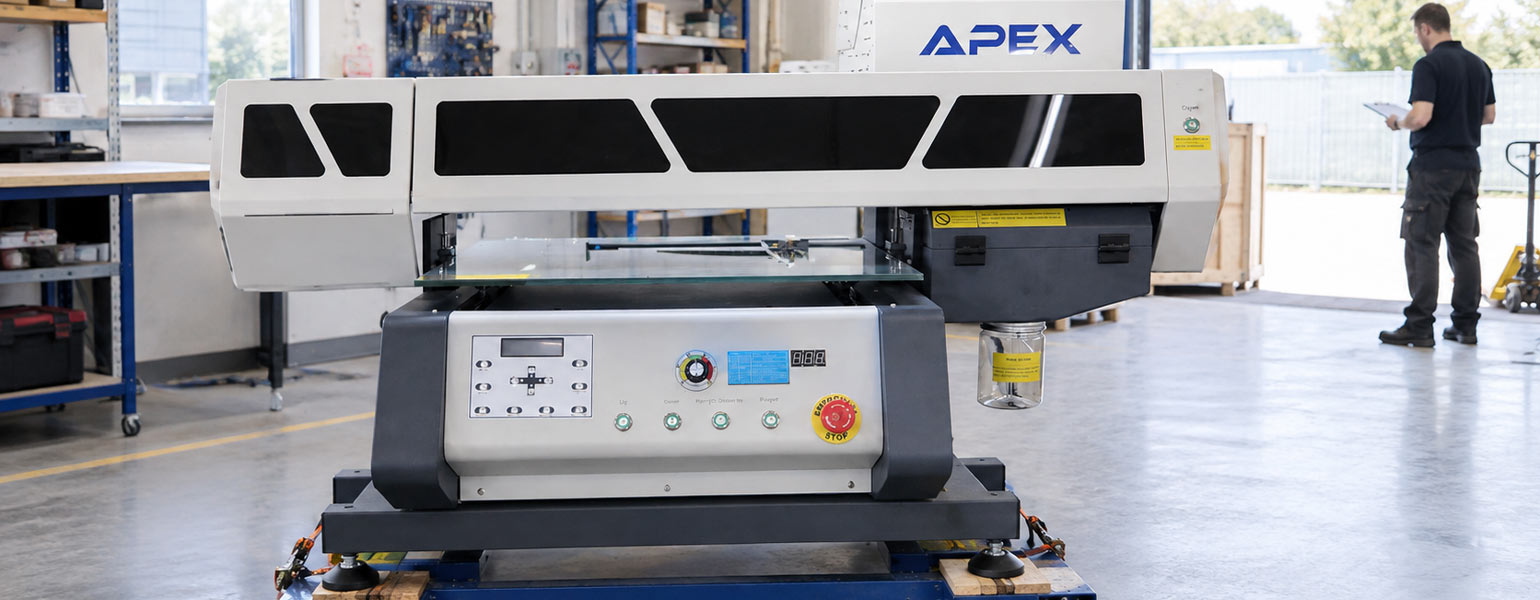
Moving a large flatbed printer is a bigger job than it might first appear. These machines are heavy, awkward to manoeuvre, and contain delicate components that can be damaged by knocks, vibration, or improper handling. Getting the printer into a new workshop is one thing; getting it running properly again is another.
For a printing business, even a short move can disrupt production if something goes wrong. A damaged component, an ink delivery problem or a printer that needs recalibrating can turn a planned afternoon of moving equipment into several days of unexpected downtime.
Whether you’re reorganising your workshop or relocating to a new premises, the key is to plan the move around the printer’s requirements rather than treating it like ordinary machinery. Here’s what to consider before, during and after the move.
1. Plan the Move Before Disconnecting Anything
Start by working out how the printer will get from its current position to its destination. It sounds obvious, but access problems are much easier to solve before the machine has been disconnected and prepared for transport.
Measure the printer, including any parts that cannot be removed, and check the full route. Doorways, narrow corridors, tight turns, loading bays and raised thresholds can all cause difficulties. If the machine needs to pass through a doorway at an angle, allow enough room to manoeuvre it without putting pressure on the frame or other components.
Weight is equally important. Check the manufacturer’s specifications and establish whether the floor, lifting equipment and any goods lift can safely accommodate the machine. If you’re moving into an upper-floor unit, don’t assume the building’s lift or flooring can support it.
Consider how long the move will take and how much production time you’ll lose. If the printer is essential to daily orders, schedule the relocation around quieter periods where possible. It is also worth arranging technical support in advance if the move requires specialist preparation or reinstallation.
A site visit before moving day can help identify problems that measurements alone might miss. If the route is unsuitable, you’ll have time to arrange alternative access or professional machinery and movers.
2. Follow the Instructions for Your Specific Printer
Before preparing the machine, find the manufacturer’s instructions for transport. Flatbed printers can look similar while having quite different internal arrangements, so advice that works for one model may be unsuitable for another.
The manual should explain how to shut down the printer correctly and whether any parts need to be secured or prepared before it is moved. Depending on the design, this may involve positioning the carriage, protecting particular components or following a specific procedure for the ink system.
If you cannot find the manual, contact the supplier or manufacturer. Explain whether the printer is being moved within the same building or transported to another site, as the required preparation may differ.
This is especially important if the move involves dismantling the machine. Removing parts without knowing how they fit back together can introduce alignment problems or damage connections that were never intended to be handled during routine relocation.
3. Protect the Printhead and Carriage
The printhead and carriage deserve particular attention during a move. The carriage travels along a rail above the printing bed and may carry the printhead, ink connections and other delicate components. A sudden impact or incorrect handling can affect these parts even when there is no obvious damage to the outside of the machine.
If your printer has a designated transport position or carriage lock, use it according to the manufacturer’s instructions. Switching the machine off does not necessarily secure every moving part, and forcing the carriage into position by hand can cause problems.
Keep the printing bed clear of tools and loose objects that could move around during transport. Use any protective covers specified by the manufacturer, and make sure exposed components are protected from dust, moisture and accidental contact.
Do not remove the printhead simply to make the machine easier to move. Unless the manufacturer specifically requires it, leaving it in place avoids introducing unnecessary risks during removal and reinstallation.
4. Handle the Ink System Carefully
The ink system is another area where the correct preparation depends on the machine.
A flatbed printer may use reservoirs, tubing, dampers, pumps and filters to deliver ink to the printhead. If the system is handled incorrectly, ink can leak or air can enter the lines, potentially causing problems when printing resumes.
Never assume that you need to drain all the ink before moving a printer. Some models have specific transport procedures, while others may be moved with the ink system intact under the conditions set out by the manufacturer. Unnecessary draining, flushing or dismantling can create additional work and may introduce new problems.
Before the move, check whether reservoirs or containers need securing, whether any connections require special protection and whether the printer needs particular preparation for a period without power.
For UV flatbed printers, take extra care to prevent ink spills and contamination. Follow the safety instructions for the ink and any cleaning materials, and dispose of waste appropriately.
If you’re unsure how the system should be prepared, get advice from the manufacturer or a qualified technician rather than experimenting. The right procedure is specific to the printer, not something that can safely be generalised across every model.
5. Use Suitable Equipment and a Safe Moving Method
Once the printer is prepared, the next challenge is moving it without putting unnecessary strain on the frame or its sensitive components.
Don’t rely on a group of people simply lifting the machine by hand. Its weight may not be evenly distributed, and parts of the casing or printing bed may not be designed to support lifting loads.
Check the approved lifting points and any restrictions on tilting the printer. Depending on its size and the access available, you may need a forklift, pallet truck, suitable lifting equipment or a specialist machinery mover. Any equipment used must have an adequate rated capacity and be appropriate for the way the printer is designed to be handled.
Keep the machine level unless the manufacturer specifies otherwise. Sudden movements, impacts and excessive vibration should be avoided, particularly when the printer is being moved over uneven surfaces or loaded into a vehicle.
If road transport is involved, the printer must be secured so that it cannot slide or shift. It should also be protected from rain, condensation, dust and unsuitable temperatures during the journey.
For heavy machines, awkward access routes or moves involving stairs, professional help is often the sensible option. The aim is not simply to get the printer into the new building, but to do so without creating problems that only become apparent when production starts again.
6. Get the New Workspace Ready
The new location should be prepared before the printer arrives. This reduces the chance of having to move the machine a second time or discovering that the workspace is unsuitable after installation.
Check that the floor provides stable support and that the machine can be levelled according to the manufacturer’s requirements. The surrounding space also matters. You need room to load materials, open service panels and carry out routine cleaning and maintenance without struggling for access.
Environmental conditions should be considered too. Temperature, humidity and dust can affect printing performance, and UV printers may have additional ventilation or operating requirements. Use the specifications for your particular model rather than relying on general advice for printing equipment.
Finally, make sure the required electrical supply and connections are ready. If the new workshop has a different power arrangement or environmental conditions from the previous site, confirm that the printer can operate there before installation.
7. Reinstall and Test Before Resuming Production
Once the printer is in position, inspect it before reconnecting everything and switching it on. Look for visible damage, loose covers, displaced parts, damaged cables or signs of ink leakage. If the machine has suffered an impact during transport, seek technical advice before powering it up.
Reconnect the printer and return any transport-secured components to their operating positions according to the manufacturer’s instructions. Depending on the model, the machine may also need levelling, alignment checks or calibration.
When it is ready to run, begin with the manufacturer’s recommended checks, such as a nozzle check where applicable. Follow this with a small test print on a suitable substrate rather than immediately committing to a full production batch.
Check the results carefully. Look for missing nozzles, inconsistent printing, unexpected error messages or unusual mechanical noises. If the output differs from what you would normally expect, investigate the cause before proceeding with customer orders.
Repeated cleaning cycles or random adjustments are not always the answer. If the printer shows persistent problems, follow the manufacturer’s troubleshooting procedure or contact a qualified technician.
A short, controlled test is a much better way to confirm that the printer is ready than discovering a problem halfway through a large order.
8. When Is Professional Help Worthwhile?
Some moves are relatively straightforward, particularly when a printer can be relocated within the same workshop without dismantling it. Others involve enough risk to justify bringing in a specialist.
Consider professional assistance if the machine needs substantial dismantling, the route involves stairs or difficult access, the transport distance is considerable, or the manufacturer’s instructions require technical work on the printhead or ink system.
Support may also be needed after the move if the printer develops persistent ink delivery problems, carriage errors, unusual noises or calibration issues. If anything happened during transport that might explain the problem, tell the technician. Details such as an unexpected impact, a difficult lift or a period of unsuitable storage can help narrow down the cause.
Keeping a few photographs of the machine before and after relocation, along with any error messages, can also make it easier to explain what has changed.
Getting Back to Work
A successful flatbed printer move depends on good planning, careful handling and following the correct procedure for your particular machine. Preparing properly before transport and testing the printer before restarting production can help avoid unnecessary downtime.
Signzworld supplies printing equipment and sublimation products to businesses across the UK. If you’re reviewing your workshop setup or looking for equipment for your printing business, you can explore the range available at Signzworld.


